129 —WordPress
WordPress multisite migration: the one-Sunday playbook
A Plesk box on PHP 7.4 with a 12-site multisite, a fresh VPS waiting at Hetzner, and a Sunday from 09:00 to 17:00 to get the cutover done before Monday traffic.
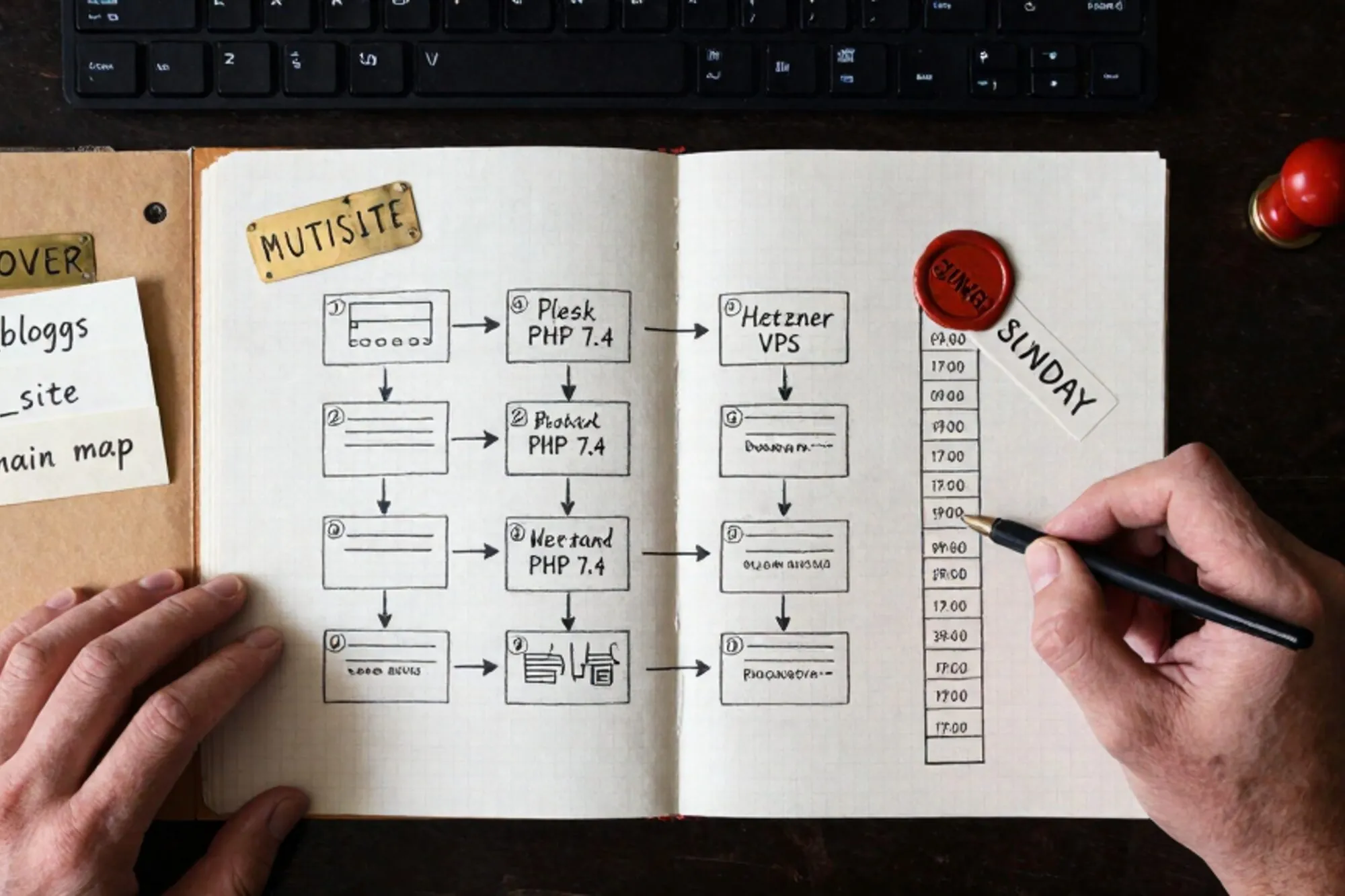
The Plesk panel logged in on the third try. PHP 7.4 across the board, MariaDB 10.3, twelve subsites under a single WordPress multisite network, half of them mapped to vanity domains. The host had emailed three times in two months: the server was going off support and would be powered down at the end of the month. The agency owner had Sunday between 09:00 and 17:00 to land the whole thing on a fresh Hetzner CX22, then sleep before Monday's editorial schedule.
This is the playbook we ran with them. Eight steps, one Sunday, no Monday-morning surprise. It assumes a standard WordPress multisite (subdomain or subdirectory), root SSH on the destination, and the Plesk source still alive enough to read from. If your source is partially dead, skip to step 5 and restore from your last good nightly backup.
1. Inventory the multisite before you touch anything
Before anything moves, you need a written record of what the multisite actually contains. Plesk hides a lot of state in places WP-CLI does not see, and a multisite hides even more inside wp_blogs and wp_site. Open two terminals: one SSH'd into the Plesk box, one into the new VPS.
wp site list --fields=blog_id,url,registered,last_updated
wp option get siteurl --network
wp db query "SELECT domain, path FROM wp_blogs ORDER BY blog_id"
wp plugin list --status=active --network
Dump that to a file you keep in your migration folder. Then list the vanity domains mapped via Plesk's web aliases or via the WP MU Domain Mapping plugin, because those mappings live in wp_domain_mapping and they do not move with a normal file copy. Note every cron schedule registered in Plesk's scheduled tasks (often a wp cron event run --due-now on a 5-minute timer), every mail account, every PHP open_basedir restriction, and every .htaccess override that lives outside the WordPress root.
If you skip this step you will discover at 16:00 that subsite 7 was sending password resets through Plesk's local mailer, and now nothing leaves the box.
2. Stand up the VPS the way you actually want it
Resist the urge to clone Plesk. You are migrating to escape it. A clean Ubuntu 24.04 LTS box with nginx, PHP-FPM 8.2, MariaDB 11, and certbot will outlive the next two Plesk renewals. Install only what you need.
apt update && apt install -y nginx mariadb-server certbot \
  python3-certbot-nginx php8.2-fpm php8.2-mysql php8.2-curl \
  php8.2-gd php8.2-mbstring php8.2-xml php8.2-zip php8.2-intl
curl -O https://raw.githubusercontent.com/wp-cli/builds/gh-pages/phar/wp-cli.phar
chmod +x wp-cli.phar && mv wp-cli.phar /usr/local/bin/wp
For multisite on nginx you cannot rely on the .htaccess block from the Codex. You need an explicit server block. The nginx recipes in the WordPress documentation are the closest thing to canon. For subdirectory multisite the critical block is:
map $http_host $blogid {
    default 0;
    include /etc/nginx/wp-multisite-map.conf;
}

server {
    listen 443 ssl http2;
    server_name example.com *.example.com;
    root /var/www/example.com;
    index index.php;

    location / {
        try_files $uri $uri/ /index.php?$args;
    }

    location ~ ^/files/(.*)$ {
        try_files /wp-content/blogs.dir/$blogid/$uri /wp-includes/ms-files.php?file=$1;
        access_log off;
    }

    location ~ \.php$ {
        include snippets/fastcgi-php.conf;
        fastcgi_pass unix:/run/php/php8.2-fpm.sock;
    }
}
Configure MariaDB before you import anything. Set innodb_buffer_pool_size to roughly 60% of available RAM, switch the default character set to utf8mb4, and create the database with the same name as the source. Mismatched collation between source and destination is the most common cause of WordPress database error entries that only show up after restore.
3. Lock writes and freeze the source
You cannot rsync a moving target. At 09:00 you put the multisite into a controlled maintenance state. The cleanest way is a network-wide drop-in that returns a 503 with a Retry-After header.
<?php
// wp-content/mu-plugins/000-migration-freeze.php
if ( ! is_admin() && ! defined( 'WP_CLI' ) ) {
    header( 'HTTP/1.1 503 Service Unavailable' );
    header( 'Retry-After: 28800' );
    header( 'Content-Type: text/html; charset=utf-8' );
    echo '<h1>Brief maintenance window</h1>';
    echo '<p>We are back online by 17:00 CET.</p>';
    exit;
}
503 with Retry-After is what Google's crawler expects during planned downtime. A naked 200 with a maintenance message can get pages reindexed as blank. The detail is documented in Google's guidance on pausing an online business, and it costs you nothing to do correctly.
Disable all WP-Cron events and any Plesk scheduled tasks that touch the database. On the Plesk side, the fastest way is to add define('DISABLE_WP_CRON', true); to wp-config.php and comment out the cron line in Plesk's scheduled tasks panel. Confirm no WooCommerce, no Action Scheduler, and no backup plugin is still writing.
4. Move files with rsync, not zip-and-copy
A WordPress multisite with twelve subsites and a few years of media will easily reach 40 to 80 GB. Zipping it on a constrained Plesk box, downloading, and re-uploading wastes the whole afternoon. Use rsync directly between hosts, run from the destination so you do not need outbound SSH from Plesk.
rsync -aHAX --info=progress2 --partial \
  -e "ssh -p 22 -i ~/.ssh/plesk_migration" \
  plesk-user@old.example.com:/var/www/vhosts/example.com/httpdocs/ \
  /var/www/example.com/
The -aHAX flags preserve hardlinks, ACLs, and extended attributes, which matter for uploads that were chmod'd by the panel. --partial lets you resume if the link drops. Run it twice: the first pass copies everything, the second catches the handful of files that changed during pass one. Once pass two finishes in under a minute you know you are sync-stable.
Set ownership on the destination to the web user (www-data on Ubuntu) and reset permissions to 755 for directories, 644 for files, with wp-config.php at 640. The WordPress file permissions guide spells out why uploads need to be group-writable but nothing else does.
5. Dump the database with the flags that matter
The defaults of mysqldump will lock your tables, hold the box at 100% I/O, and produce a file that imports half-correctly into a different MariaDB version. Use the flags that actually matter:
mysqldump \
  --single-transaction \
  --quick \
  --routines \
  --triggers \
  --events \
  --default-character-set=utf8mb4 \
  --set-gtid-purged=OFF \
  --no-tablespaces \
  -u wpuser -p wpdb | gzip > /tmp/wpdb-$(date +%Y%m%d).sql.gz
--single-transaction is what keeps the source unlocked for an InnoDB-only schema. --quick streams rows instead of buffering them, which matters once any single table (usually wp_options or a postmeta table) goes past a few hundred MB. --default-character-set=utf8mb4 stops the silent re-encoding that turns emoji and Polish diacritics into question marks on restore.
Copy the dump to the destination, decompress, and import:
scp /tmp/wpdb-*.sql.gz new.example.com:/tmp/
ssh new.example.com
gunzip /tmp/wpdb-*.sql.gz
mysql -u root wpdb < /tmp/wpdb-*.sql
6. Restore, rewire, and search-replace with WP-CLI
The database is in. Now the multisite needs to know it lives at a new IP, possibly a new hostname during testing, and that the file paths under wp-content/blogs.dir still resolve. Edit wp-config.php with the new DB credentials, the new DOMAIN_CURRENT_SITE, and these constants:
define( 'WP_HOME', 'https://example.com' );
define( 'WP_SITEURL', 'https://example.com' );
define( 'MULTISITE', true );
define( 'SUBDOMAIN_INSTALL', false );
define( 'DOMAIN_CURRENT_SITE', 'example.com' );
define( 'PATH_CURRENT_SITE', '/' );
define( 'SITE_ID_CURRENT_SITE', 1 );
define( 'BLOG_ID_CURRENT_SITE', 1 );
If you are staging on the VPS first (recommended: a migrate.example.com subdomain before DNS flips), run search-replace per subsite. Multisite has many serialized arrays, so use WP-CLI rather than raw SQL.
wp search-replace 'old.example.com' 'example.com' \
  --network --all-tables-with-prefix --precise --skip-columns=guid

wp cache flush
wp rewrite flush --hard
--precise uses PHP's native serialization rather than a regex, which is the only thing that survives nested serialized arrays in wp_options. --skip-columns=guid is non-negotiable: the GUID is a permanent identifier and rewriting it will break feed subscribers and a handful of plugins that hash it.
Domain mappings
If the multisite used the old MU Domain Mapping plugin or the modern built-in mapping, the table wp_domain_mapping (or wp_blogs.domain for built-in) still references the old IP's DNS. You do not need to change those rows. What you do need is to confirm the destination's nginx server_name lists every mapped vanity domain. Forgetting one is the most common Monday-morning incident.
7. Cut DNS over with TTLs you set on Friday
This is why Friday matters. At least 48 hours before the Sunday window, drop the TTL on every A and AAAA record involved to 300 seconds. By the time you cut over, resolvers worldwide have caches that expire within five minutes, not the 24 hours your old NS records advertised by default.
At cutover time, update the A record, confirm with dig +short example.com @1.1.1.1 from two different networks, then issue Let's Encrypt certificates on the new box. Use certbot --nginx -d example.com -d www.example.com -d sub1.example.com with every vanity domain on the command line. ACME's HTTP-01 challenge needs DNS to be pointing at the new box already, so the order is: DNS, then certbot, then remove the maintenance drop-in.
8. Verify the awkward stuff: mail, cron, SSL, subsite redirects
The site loads. That is not the same as the site working. Run through this list before you call the window closed.
- Mail. WordPress's
wp_mail()falls back to PHP'smail(), which on a clean VPS goes nowhere because there is no MTA. Installmsmtpand a real SMTP relay (Postmark, Amazon SES, or your existing Google Workspace), then test withwp eval 'wp_mail("you@you.com","test","ok");'on every subsite. - Cron. Re-enable WP-Cron via system cron, not the pseudo-cron that fires on page loads:
* * * * * curl -s https://example.com/wp-cron.php?doing_wp_cron >/dev/null 2>&1. - SSL. Confirm every subsite domain returns a valid cert with
curl -vI https://sub.example.com 2>&1 | grep -E "subject|expire". Wildcard certs are tempting but they hide expiry per host. - Subsite redirects. Any custom
.htaccessrewrites from the Plesk box did not come across in your nginx config. Audit them and translate the ones that matter intolocationblocks. - Search Console. Submit the property again and ask for a recrawl. The 503 you served correctly will have been respected, but new IP plus new SSL fingerprint plus new server header is enough for Google to want a fresh look.
Pull the maintenance drop-in, tail the access log for two minutes, and watch for 500s. If none appear, the window is closed.
The smallest thing you can do today
When we built Pier we ran into the part of this WordPress multisite migration playbook nobody writes down: the half-hour of staring at a database in phpMyAdmin trying to figure out which serialized option row was about to break the search-replace. The MySQL editor and version history exist because a botched search-replace at 16:30 on a Sunday is the worst kind of unrecoverable, and rolling forward beats rolling back.
Today, before any of this is in motion: open the Plesk box, run wp site list --fields=blog_id,url,registered,last_updated, and save the output to a file. That single file is the artifact you will reference six times during the actual Sunday, and it is what tells you whether you have eight steps ahead of you or twenty.
— Questions —
Does this work for a destination on a different MariaDB major version?
Yes, if you dump with --default-character-set=utf8mb4 and confirm collation matches on both sides. Cross-engine moves (MariaDB to MySQL 8) need a column check on default values for JSON and TIMESTAMP columns.
What if Plesk's local mailer was handling password resets?
That is why mail belongs in step 8. Until you point WordPress at a real SMTP relay, every wp_mail() call vanishes silently. Test with wp eval on every subsite before you pull the maintenance drop-in.
Does the playbook hold for subdomain multisite?
Yes. Set SUBDOMAIN_INSTALL to true in wp-config.php and add a wildcard cert via certbot's DNS plugin. The nginx server_name line needs *.example.com plus every vanity domain listed individually.
How long should I budget for a 40 GB site?
Two rsync passes take 60 to 90 minutes on a 1 Gbps link. Dumps depend on row count, not file size; eight million postmeta rows is roughly 25 minutes. Budget five hours of real work plus three hours of buffer.