121 —Workflow
Inheriting a legacy site: the one-page handover audit
You inherited a WordPress site from another agency. The code looks fine. Then the SSL silently fails on a server nobody mentioned. Here is the audit we run.
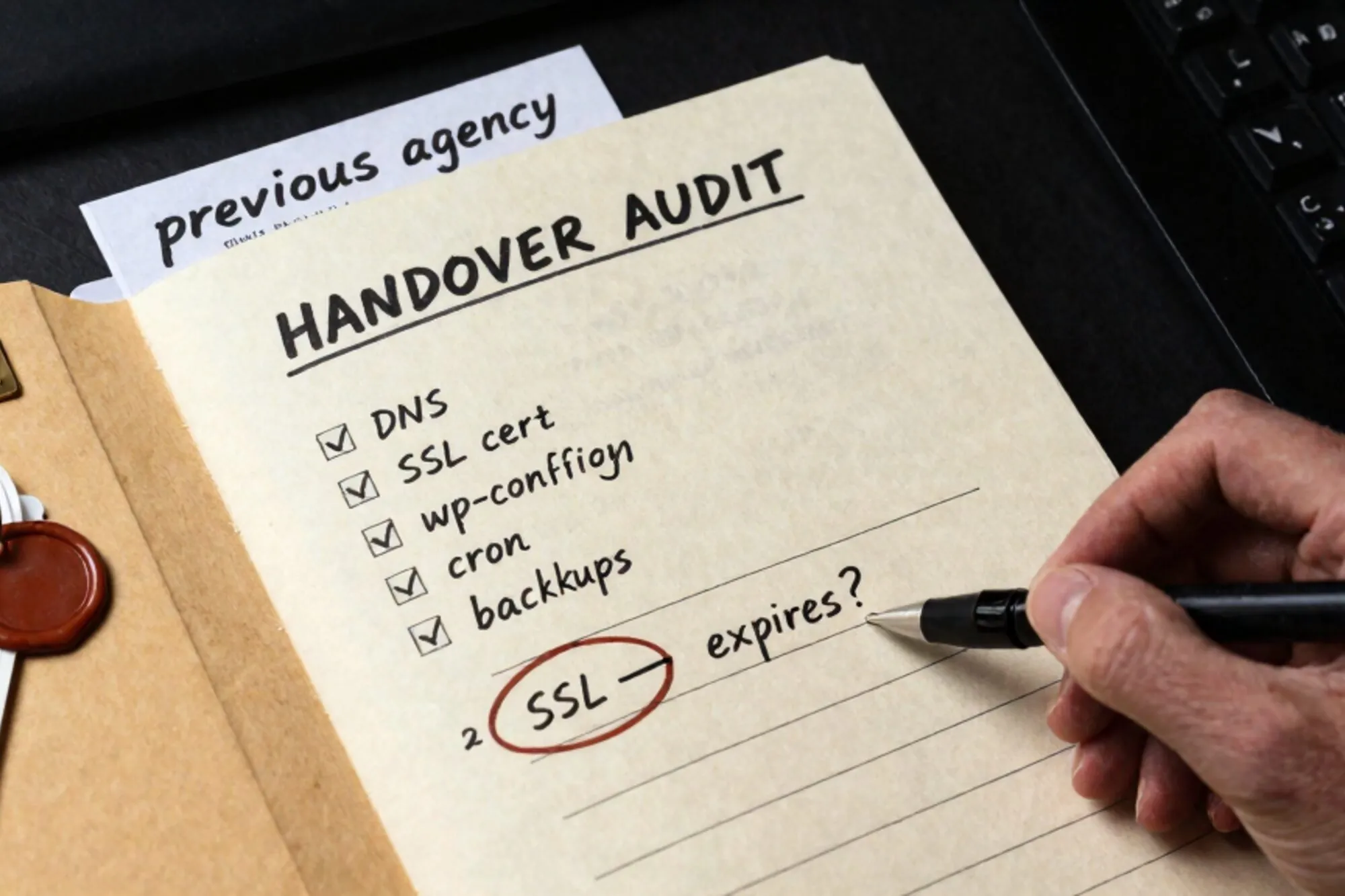
It is Wednesday morning. A founder forwards you a Notion doc titled "Handover: WordPress site." Inside is an admin password, an SFTP login, and a Stripe support email that bounces. You accept the engagement. Six weeks later the TLS certificate silently fails because the certbot cron sits on a staging server nobody told you existed.
Inheriting a legacy site from another agency almost never goes wrong on the code. It goes wrong on the periphery: the registrar account whose 2FA is bound to a phone number that is now disconnected, the webhook URL still pointing at the previous agency's relay, the premium plugin whose annual key expires in eleven days. This post is the one-page audit checklist we run on every handover. Print it, fill it in before you touch a single file.
The five domains that always go missing
Every handover has the same hollow centre. The repo is on the desk; the rest is a treasure hunt. The five categories below cover roughly 90% of what we see lost during transitions: repos, DNS, mail, payments, and licenses. Treat the audit as a single sitting (60 to 90 minutes, ideally with the outgoing party on a call) rather than a slow drip over weeks. People forget; calendars vanish; outgoing contacts leave their jobs and stop replying within ten days.
Repos and the deploy chain
Start with the code, because it is the easiest thing to verify. Ask for the URL, then ask which branch is actually deployed. They are not always the same.
- Git host and organisation (GitHub, GitLab, Bitbucket, self-hosted Gitea)
- Ownership transferred, or at minimum a permanent admin seat on the org
- Branch protection rules currently in force on
mainorproduction - Deploy keys still listed in
~/.ssh/authorized_keyson the production box - CI secrets (Actions secrets, GitLab CI variables) and what each one actually unlocks
- Container registry credentials if there are images involved
Run this on the server before you trust the README:
grep -rE "ssh-(rsa|ed25519)" ~/.ssh/authorized_keys
ls -la /etc/cron.d /etc/cron.daily /etc/cron.hourly
crontab -l
sudo crontab -l
Anything you do not recognise gets logged, not deleted, until you understand it. A cron job you killed in week one is often the nightly database dump.
DNS, mail, and the registrar
The registrar is the single most common point of failure. It is frequently a different vendor from the host (the host is GoDaddy, the DNS is on Cloudflare, the mail is on Microsoft 365), and the account is bound to whoever first registered the domain in 2014. Half the time, that person has left the client's company.
- Registrar login, with 2FA migrated to a device the client owns
- Authoritative nameservers (run
dig NSand confirm against documentation) - Every published record: A, AAAA, CNAME, MX, TXT, CAA
- SPF, DKIM, and DMARC alignment all valid
- Transactional mail provider (Postmark, Mailgun, SendGrid) and the API keys
- Mailbox passwords or app passwords for any address the site sends from
A quick set of dig probes will tell you whether the published DNS matches the documented intent:
dig +short MX example.com
dig +short TXT example.com | grep -i spf
dig +short TXT _dmarc.example.com
dig +short TXT default._domainkey.example.com
If v=spf1 includes a relay you have never heard of, ask who sends mail on behalf of the domain before you remove it. Calendar invites, password resets, and Stripe receipts often go through forwarders the outgoing team forgot to mention. The SPF RFC is the reference text if you need to defend a change against a confused client.
Payments and the webhook graveyard
This is the section where the previous agency's leftover infrastructure quietly bills the new client. Webhook endpoints persist. Connected Stripe accounts persist. Sometimes a refund flow still routes through an AWS Lambda the outgoing team's CTO wrote on a Saturday in 2021.
- Stripe, PayPal, Mollie, or Adyen account ownership transferred to the client's legal entity
- Live and test API keys rotated on handover day, not the next morning
- Every webhook endpoint URL audited, and the host confirmed
- Stripe Connect connected accounts reviewed, if it is a marketplace
- Tax IDs, VAT registrations, and KYB documents on file under the right entity
License keys and silent expirations
Every legacy CMS site is wearing a coat of premium plugins, and most of those plugins phone home to a license server. When the license lapses, updates stop. When updates stop, security patches stop. Six months later you are sitting on a CVE you cannot patch because the agency that bought the seat has disappeared and the renewal card belongs to a former employee.
- WordPress: ACF Pro, Gravity Forms, WP Rocket, Yoast Premium, WPML
- Drupal: Acquia subscriptions, paid distributions, commercial modules
- Magento / Adobe Commerce: marketplace extensions, the Adobe ID, the MAGE keys
- CDN: Cloudflare paid features, Bunny, Fastly
- Monitoring: Sentry, Datadog, Better Stack
- Backups: BlogVault, ManageWP, Jetpack VaultPress
For each one, four columns: who owns the seat, what email it is registered to, when it renews, and how the renewal is paid. Cards stored on file are often the agency's, not the client's. Plan the swap before the auto-renew fires.
The one-page sheet
The whole point of the audit is that it fits on a single page. Anything longer gets skimmed; anything shorter misses a column. The format we use looks roughly like this:
repos:
  host: github.com/clientorg
  admin_transferred: yes
  ci_secrets_rotated: 2026-06-11
dns:
  registrar: gandi.net
  registrar_2fa: yubikey-A
  nameservers: cloudflare
mail:
  mx: google workspace
  spf: ok
  dkim: rotated 2026-06-11
  transactional: postmark (key rotated)
payments:
  processor: stripe
  webhooks_audited: yes
  account_owner: client
licenses:
  acf_pro: client@example.com, renews 2027-02
  gravity_forms: client@example.com, renews 2027-04
  wp_rocket: client@example.com, renews 2026-09
Three columns per row: what it is, who owns it now, when it next needs attention. Anything that fails the audit goes into a remediation list with a deadline. Anything green is dated.
When the audit fails
You will find gaps. The previous agency will not return your emails about a Cloudflare account. The Stripe webhook will still point at old-agency.com/relay. The MX record will list a mail provider nobody at the client recognises. Treat these as bugs with severity tags:
- P0 (do today): production payment flows touching an unknown endpoint
- P1 (this week): expiring TLS certificates, mail authentication failing
- P2 (this month): unowned premium plugin licenses
- P3 (next quarter): tidying up unused CI secrets and dormant cron jobs
The point of severity tags is not to look organised in a Linear board. It is so the client sees the cost of inheritance clearly: this is what happens when a site moves agencies without a checklist. The work has a name and a price.
Editing live while you audit
The audit creates a paradox. You are not yet sure what the deploy chain is, but the client wants a copy update on the homepage by Friday. Pushing to a repo you have not fully mapped is the fastest way to break something subtle: a cache key, a feature flag, a CDN purge hook.
When we built Pier we ran into this exact thing on nearly every customer dock. The way we ended up handling it was to make every save versioned by default, so the worst case during a half-mapped handover is one click of version history back to a known-good state. The MySQL editor behaves the same way: every UPDATE is a row in a journal, not a destructive action.
The smallest thing you can do today: open a blank text file, write the five headings (repos, dns, mail, payments, licenses), and send it to your client as the handover template you will be filling in together. The rest of the audit follows from getting that page on the table.
— Questions —
What if the previous agency refuses to hand over the registrar account?
Document the refusal in writing, then initiate an ICANN transfer-out using the client's authority as the registrant of record. Expect 5 to 7 days and a brief outage window on email.
How do I rotate Stripe webhooks without breaking live payments?
Add the new endpoint alongside the old one, confirm it receives a test event, watch live traffic on both for 24 hours, then disable the old endpoint. Never delete; disable, so you can roll back.
Which premium plugin licenses are highest priority on a WordPress inheritance?
Anything that ships authentication, payments, or forms: WPML, Gravity Forms, WooCommerce extensions, and ACF Pro. These break the site loudly when updates stall.
Should I run the audit before or after the contract is signed?
Before. The audit findings are the scope. Signing first means inheriting unknown remediation work at a fixed fee. Quote the audit itself as a paid discovery engagement.