041 —Operations
9GB site restore: a partial dump and three FTP shards
An afternoon spent stitching a 9GB WordPress site back together from one truncated mysqldump and three half-broken FTP backups. Here is the restore log.
The call at 14:12
A studio we work with in Utrecht pinged us just after lunch with a restore they could not run themselves. Their staging clone of a customer's legacy site had quietly become the last good copy of anything. A 9GB WordPress install bolted onto WooCommerce, with a custom plugin nobody had dared touch since 2018. Production had gone read-only overnight after the host hit a disk quota mid-backup. The cron-driven mysqldump finished writing, the FTP backup script started, and neither completed cleanly.
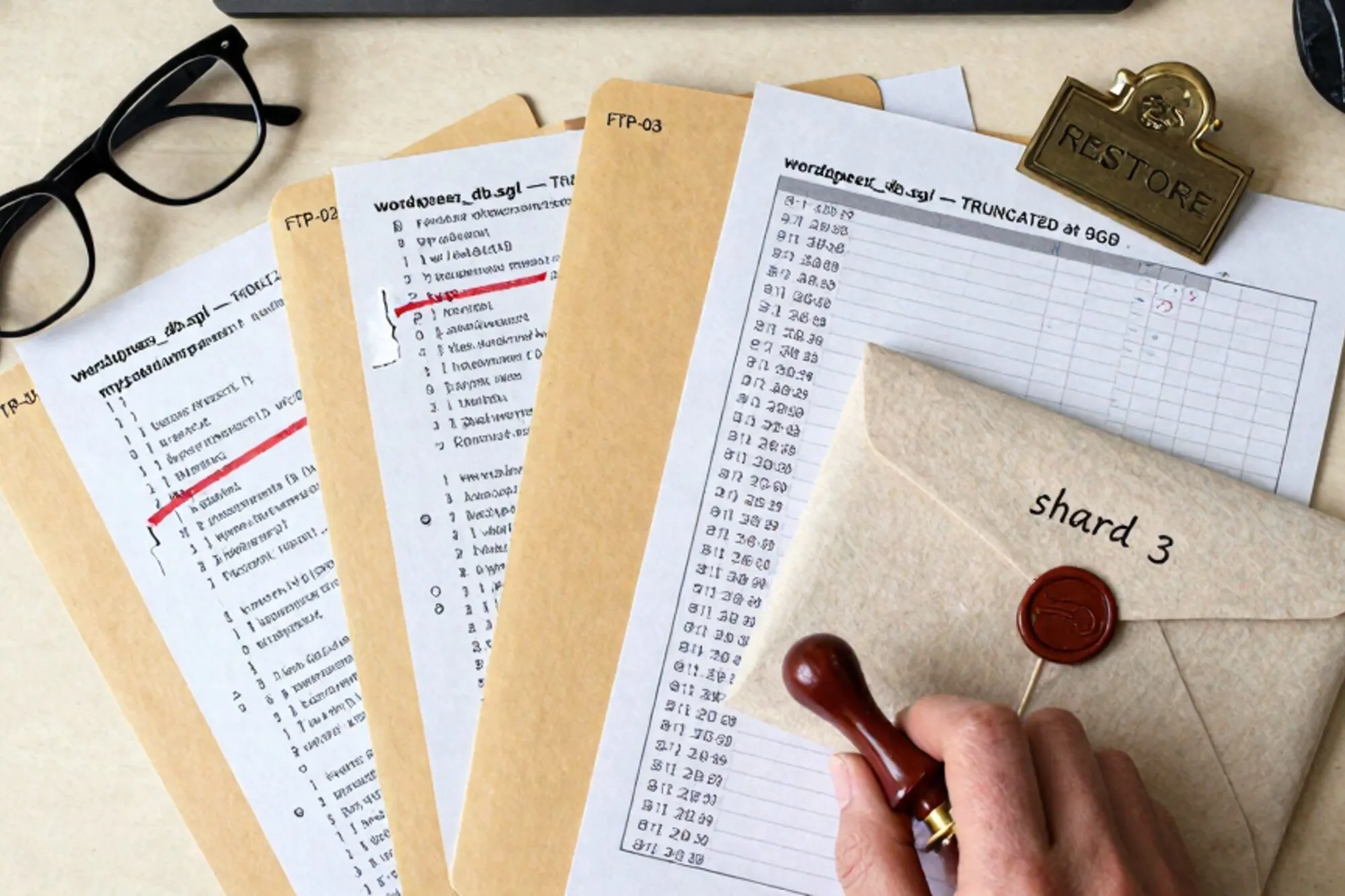
What landed on our shared drive at 14:12 was a tar.gz called db-2026-05-21.sql.gz that decompressed without complaint and then truncated halfway through the wp_postmeta insert. Alongside it sat three FTP backup directories from three different days, each missing different things. One had the entire wp-content/uploads/2024/ tree gone. One was missing wp-content/plugins/. The third had plugins intact but its wp-config.php was a 0-byte file. The site was due back online by 18:00. We had three hours and forty-eight minutes.
Inventory before action
The first instinct when a 9GB restore lands on your laptop is to start fixing things. The first instinct is wrong. Twenty minutes spent listing exactly what is broken is twenty minutes that prevents you from undoing your own progress at 17:30.
We opened a scratchpad and did this:
gzip -t db-2026-05-21.sql.gz; echo $?
# 0. The gzip container is fine. The SQL inside is the problem.

zcat db-2026-05-21.sql.gz | tail -c 4096
# Last bytes mid-statement: "...VALUES (1842,'_edit_lock','1716"

zcat db-2026-05-21.sql.gz | wc -l
# 1,204,883 lines

zcat db-2026-05-21.sql.gz | grep -n "^-- Table structure for" | tail
# Last table dumped: wp_postmeta. wp_posts done. wp_users done.
# wp_woocommerce_order_items and friends never started.
So we had structure and data for everything up to and including the first 60% of wp_postmeta, and nothing past it. The WooCommerce order tables, the session table, and the action scheduler queue were gone from the dump. That last one was a small mercy: action scheduler is built to recover from a wiped queue.
We also opened wp_options with a quick check. The siteurl and home values were present, the active_plugins array was intact, and the woocommerce_db_version matched the running install on the studio's secondary node. That last one is the kind of mismatch that bites you on Tuesday morning when a customer reports product variations behaving oddly and you spend three hours chasing a problem that was baked in at restore time.
For the file tree, we ran three rsync -an --stats dry-runs against each backup to get a delta against what production was supposed to look like. The output gave us a matrix:
- Backup A (May 19): all PHP intact,
uploads/2024/missing,uploads/2023/present. - Backup B (May 17): all
uploads/intact,plugins/missing. - Backup C (May 20): plugins intact,
wp-config.phpzero bytes, mu-plugins missing.
Nothing was unrecoverable. The pieces all existed somewhere. The work was reassembly.
Reconstructing the database
You cannot stream a truncated mysqldump straight into MySQL. The last INSERT will error and, depending on how the dump was written, you may not get clean transaction boundaries before it. The safe approach is to cut the dump at the last known-good statement, restore that, and then rebuild the missing tables from whatever else you have.
We found the last complete statement by walking backwards from EOF looking for a line ending in ; that was followed by an empty line:
zcat db-2026-05-21.sql.gz \
  | awk '/^);$/ {last=NR} END {print last}'
# 1,204,612

zcat db-2026-05-21.sql.gz \
  | head -n 1204612 \
  > db-truncated-clean.sql
That gave us a syntactically valid SQL file ending at the last fully written INSERT. We loaded it into a fresh local MySQL with --init-command="SET autocommit=0, foreign_key_checks=0, unique_checks=0;" and a sane innodb_buffer_pool_size. The official guidance on bulk loading InnoDB is worth bookmarking; the autocommit toggle alone cut our restore time roughly in half on this dataset.
For wp_postmeta, which had ended mid-insert, we now had a partial table. About 60% of rows present. The remaining 40% had to be inferred. Two sources helped:
- The plugin in Backup C had an internal cache table that mirrored post meta for SEO fields, written by a hook that ran nightly.
- WooCommerce stores enough on
wp_posts(post_type = 'product') and on the variation child posts to reconstruct stock and price meta deterministically.
We wrote two restore queries and ran them in that order. The first replayed the SEO cache into wp_postmeta using INSERT IGNORE so the rows already present from the dump were preserved. The second walked product posts and re-emitted _stock, _price, _regular_price from the variation table where the parent's row was missing. We logged every inferred row to a separate audit table so we could review them later.
Before we left the database alone we ran a quick consistency pass. SELECT COUNT(*) FROM wp_posts WHERE post_status NOT IN ('publish','draft','pending','private','trash','auto-draft','inherit','future'); returned zero, which meant nothing had been left in a half-written state. We also checked wp_postmeta for orphans against wp_posts with a single LEFT JOIN. About forty thousand rows came back. Those were normal: WooCommerce variation meta living on now-deleted parents, the kind of cruft every old store carries. We logged the count and moved on.
For the WooCommerce order tables, we had nothing. The plugin's own logs (which lived on disk, not in the database) gave us a list of order IDs created in the last 36 hours. We exported those, wrote a stub to mark them as on-hold, and emailed the studio's customer success person to phone the affected buyers in the morning. The temptation when you have a partial dataset is to fill in plausible values. Generated timestamps. Inferred customer IDs. Don't. Every faked row is a row you will misread as real six months from now when you are debugging something else. Write the audit table. Email the success person. Pick up the phone.
Stitching the file tree
With the database close to whole, we turned to the filesystem. The trick with three half-broken FTP backups is to pick one as the spine and let the others fill its holes, in a defined order, with no overwrites of the spine.
We picked Backup A as the spine because its PHP layer was complete and matched the schema we'd just rebuilt. Then:
# 1. Fill missing uploads from Backup B.
rsync -av --ignore-existing \
  /backups/B/wp-content/uploads/ \
  /restore/wp-content/uploads/

# 2. Fill mu-plugins from Backup B (A had them, but B's were newer).
rsync -av --update \
  /backups/B/wp-content/mu-plugins/ \
  /restore/wp-content/mu-plugins/

# 3. Plugins: A has them. Skip C, its wp-config is junk.
# 4. wp-config.php: take A's. Diff against C just in case.
diff /backups/A/wp-config.php /backups/C/wp-config.php
# C is empty. Skip.
The --ignore-existing flag is what made this safe. It guarantees the spine wins for any file that exists in both places. The --update flag does the opposite for the mu-plugins step where we knew B was newer. Mixing the two on the same command is how you accidentally overwrite the wrong thing at 17:50.
The Apache documentation has the cleanest reference on the precedence rules that govern .htaccess at restore time. We checked the spine's .htaccess against the customer's last known-good production rules and found one missing block: a rewrite that mapped a legacy gallery URL to a new permalink shape. We added it back:
<IfModule mod_rewrite.c>
  RewriteEngine On
  RewriteRule ^gallery/([^/]+)/?$ /portfolio/$1/ [R=301,L]
</IfModule>
Without that, the site would have come back up but every old inbound link from Pinterest and old newsletter sends would have 404'd. The customer would have noticed within an hour and we would have spent the evening on Slack.
The wp-config landmine
The wp-config.php in our spine had the right database credentials for staging, not for the production replica we were restoring into. Worse, the file referenced two constants the studio had added years earlier and nobody had documented:
define('WP_CACHE_KEY_SALT', 'utrecht-prod-2021');
define('UPLOADS', 'wp-content/uploads-cdn');
The first one we found by grepping the plugin source for WP_CACHE_KEY_SALT. The second one we found the slow way: the site came up at 17:34, all images returned 404, and one of us said "uploads dash what". The UPLOADS constant overrides the default uploads path, and the CDN sync had been writing to uploads-cdn/ for two years. A two-line patch to wp-config.php and a single symlink fixed it:
ln -s /var/www/site/wp-content/uploads-cdn \
/var/www/site/wp-content/uploadsThe diff dance
At 17:51 the site responded on the staging hostname and looked correct. That is the moment where the temptation to call it done is strongest and the discipline of one more pass matters most.
We ran three checks:
wp db checkagainst every table to confirm InnoDB hadn't quietly marked any of them crashed.- A row-count diff between the restored database and the studio's nightly metrics report from the prior week. Posts and users matched within 4 rows. Orders were the known 36-hour gap.
- A
curl -Iagainst the top 50 URLs from the prior month's analytics export. Forty-eight returned 200. Two returned 301 to the same canonical, which was correct.
The third check matters more than it looks. A site that loads on its homepage is not a site that works. WordPress in particular has dozens of edge URLs (REST endpoints, admin-ajax, the sitemap, feed URLs) that fail silently if a plugin or a constant is wrong. We pulled the top 50 from analytics rather than guessing; the analytics export is a stand-in for the URLs real humans land on, which is what determines whether you spend the evening on Slack or not.
We pushed the restore to production at 17:58 and watched the access log for ten minutes. The first real order came in at 18:11. The customer's first call to the studio was at 09:14 the next morning, asking why two orders placed Tuesday afternoon had vanished. The studio's success person already had a list ready and rang the buyers back.
The action scheduler kicked back in at 18:03, ran its catch-up sweep, and re-emitted the abandoned cart emails it had missed. We watched the queue drain in wp_actionscheduler_actions with one eye while answering the studio's questions with the other. Nothing leaked back into the email queue twice, which we had worried about given the wp_postmeta repair. We also confirmed the WP-Cron tasks had picked up where they left off by tailing wp cron event list for five minutes and watching the next-run timestamps tick forward.
What this kind of work actually is
Restoring a legacy site from broken backups is not heroics. It is inventory, then reassembly in a defined order, then verification. The mistakes that cost hours are almost always made in the first twenty minutes, when you start fixing before you have finished counting.
When we built Pier we kept running into this exact pattern on customer sites and wanted a faster way to inventory the damage and replay it back. The MySQL editor in the app lets us load a half-broken dump, walk it table by table, and re-run the missing pieces with a real undo at every step, and the version history means the "what did we change at 17:34" question has an answer instead of a guess.
If you do nothing else after reading this, add one line to your backup cron tonight: pipe the mysqldump output through tee >(md5sum > dump.md5) and write the checksum next to the dump. Six months from now, when something like this happens to you, you will know within ten seconds whether the file you have is the file you wrote.
— Questions —
Can you restore a WordPress site from a truncated mysqldump?
Yes, if you cut the dump at the last complete statement and rebuild missing tables from other sources. Expect data gaps and document them rather than hide them.
What is the safe way to merge multiple FTP backups?
Pick one as the spine and use rsync --ignore-existing to fill its gaps from the others. Mixing --update and --ignore-existing on one command is how you overwrite the wrong thing.
How do I know if a gzipped SQL dump is complete?
gzip -t verifies the container, but the SQL inside can still be truncated. zcat the file and tail the last few KB to confirm the final statement ends in a semicolon.
Why did restored images return 404 after a WordPress restore?
Usually a custom UPLOADS or WP_CONTENT_DIR constant in wp-config.php pointing at a non-default path. Grep wp-config and active mu-plugins before blaming permissions.