091 —WordPress
WordPress multisite uploads leak: tracing a stale blogs.dir symlink
A WordPress multisite started serving tenant B's PDFs from tenant A's URLs. The cause was a symlink older than the agency. Here's the trace.
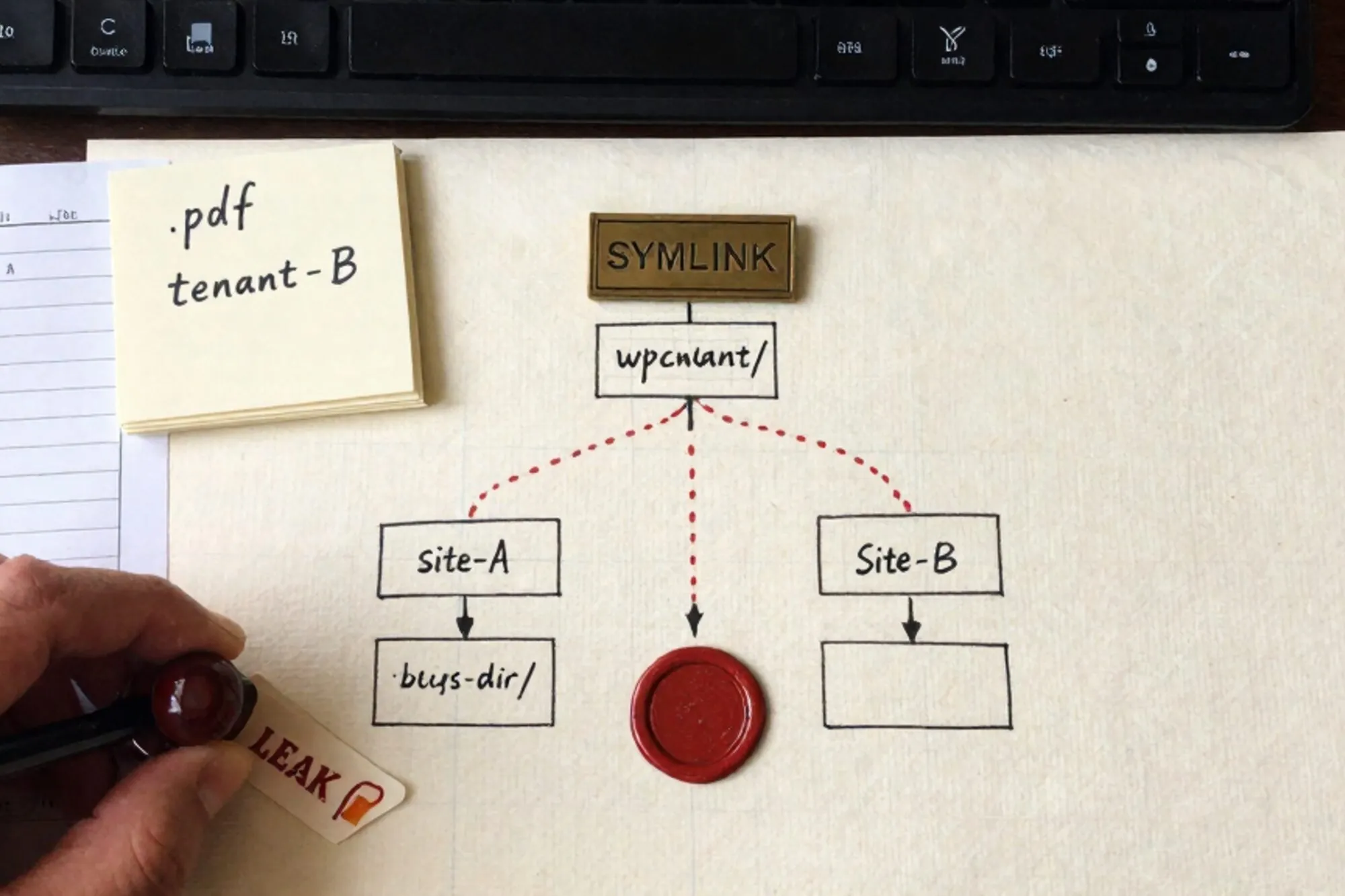
The first message landed at 15:47 on a Tuesday. A Dutch agency we work with runs a 14-site WordPress multisite for a chain of regional newspapers. One of their editors had opened the media library on site 7 and seen a PDF she didn't recognise: a salary overview, marked confidential, belonging to site 4. She refreshed. It was still there. She opened the file. It rendered. She closed her laptop and called the studio lead.
By 16:10 we were on a screen-share. By 16:55 we had the root cause: a blogs.dir symlink that should have been deleted in 2014 was still resolving, and an .htaccess rewrite written for the old layout was happily following it. This is the trace, written up so you can find your own version of it before an editor does.
The symptom the editor saw
Site 7's media library was showing a thumbnail and filename that belonged to a file uploaded on site 4 eleven months earlier. The URL in the browser was site 7's domain. The file served was site 4's PDF. Same bytes, same hash, served under the wrong tenant's hostname, behind the wrong tenant's login.
Multisite stores uploads per blog. On a modern install (3.5+) that means wp-content/uploads/sites/<blog_id>/YYYY/MM/. On installs that were created before 3.5 and upgraded in place, you also get the legacy layout: wp-content/blogs.dir/<blog_id>/files/YYYY/MM/. The WordPress multisite documentation still references this split because so many installs predate the change.
Our agency's install was originally cut in 2012. It had been upgraded, migrated to a new host in 2017, and migrated again in 2021. Each migration ran rsync -a over wp-content. Each migration preserved everything underneath, including a symlink nobody had thought about in nine years.
The trace
The first thing we did was hit the offending URL with curl -I from a clean shell:
$ curl -sI https://site7.example.nl/files/2024/08/salaris-overzicht.pdf
HTTP/2 200
content-type: application/pdf
content-length: 184223
last-modified: Wed, 14 Aug 2024 09:11:42 GMT
x-served-by: site7-pool
200, served by the site 7 pool, the file genuinely existed on disk under that path. So the rewrite was right, the filesystem was wrong. We went looking on the box.
$ cd /var/www/wp-content/blogs.dir
$ ls -la
drwxr-xr-x  4 www-data www-data 4096 Jun 12  2014 .
drwxr-xr-x 12 www-data www-data 4096 Mar  4  2024 ..
drwxr-xr-x  3 www-data www-data 4096 Aug 14  2024 4
lrwxrwxrwx  1 root     root       12 Jun 12  2014 7 -> ../blogs.dir/4
There it was. Site 7's blogs.dir entry was a symlink to site 4's directory, dated 12 June 2014, owned by root. Nobody on the current team had been at the agency in 2014. Git didn't track wp-content. Nobody knew it existed.
Why the rewrite still hit it
WordPress 3.5 changed where uploads live, but it kept an .htaccess rewrite for backward compatibility on installs upgraded in place. On this server, the multisite rewrites in wp-content/.htaccess looked like this:
RewriteEngine On
RewriteBase /
RewriteRule ^([_0-9a-zA-Z-]+/)?files/(.+) wp-includes/ms-files.php?file=$2 [L]
That's the canonical rule the WordPress .htaccess reference ships. It routes /files/<path> on a subsite through ms-files.php, which then looks at the current blog ID and serves the file from blogs.dir/<id>/files/. If blogs.dir/7 is a symlink to blogs.dir/4, ms-files.php happily serves site 4's content under site 7's hostname, and it does it inside a logged-in session for site 7, so the file is treated as in-tenant.
Apache follows symlinks by default unless you've set Options -FollowSymLinks or SymLinksIfOwnerMatch. Most managed hosts leave FollowSymLinks on because half the WordPress ecosystem breaks without it. Apache's own docs are clear about the trade-off: SymLinksIfOwnerMatch would have caught this, because the symlink was owned by root and the target by www-data. The agency had never set it.
Why the symlink existed at all
We dug through the 2014 migration ticket. The original install had two sites that shared an editorial calendar, and someone had symlinked one blog's directory to the other so an embed plugin would find the same PDFs without a second upload. The plugin was removed six months later. The symlink stayed. The 2017 migration rsync preserved it. The 2021 migration preserved it again. In between, site 7 (originally one of the shared pair) was repurposed for a different regional paper, and at some point a new uploads/sites/7/ tree was created alongside the now-meaningless blogs.dir/7 symlink. New uploads went to the new tree. The handful of URLs that still pointed at /files/ went to the symlink. Most of those URLs were dead links nobody clicked. Until one editor did.
The fix and the audit
The immediate fix was four lines:
$ cd /var/www/wp-content/blogs.dir
$ rm 7
$ find . -maxdepth 1 -type l -printf '%p -> %l\n'
$ # (no output — no other cross-tenant links)
Then we audited the rest. Three things to check on any multisite older than WordPress 3.5, or migrated from one:
- Every entry in
wp-content/blogs.dir/should be a directory owned by the webserver user. Anything that is a symlink is suspect.find wp-content/blogs.dir -maxdepth 2 -type lfinds them in one pass. - The
wp_blogstable should agree with the directories on disk.SELECT blog_id, domain, path FROM wp_blogs;againstls wp-content/blogs.dir/andls wp-content/uploads/sites/exposes orphans on both sides. - If you do not need the legacy
/files/route, setdefine( 'NOBLOGREDIRECT', '...' );and remove thems-files.phprewrite from.htaccess. The multisite admin guide describes the switch. Most installs upgraded after 3.5 do not need it.
We also added Options -FollowSymLinks +SymLinksIfOwnerMatch to the vhost. That alone would have prevented the leak, because the dangling symlink's owner did not match its target's owner. It is a one-line change that pays back its cost the first time a migration drags an old artefact forward.
What the post-mortem actually said
The agency's internal write-up listed three contributing causes and one root cause. Contributing: no audit of wp-content on migration; no symlink check in monitoring; FollowSymLinks left at the Apache default. Root: a 2014 decision to share uploads via symlink was never documented and never reversed.
That is the part that makes legacy sites hard. The bug was not in the code anybody had written that decade. It was in a filesystem artefact older than the team, copied forward by every migration, invisible to every plugin scan, and only surfaced when one editor noticed a filename she didn't recognise.
When we built Pier we kept running into versions of this — drift in places nobody owns, on hosts nobody logs into. The way we ended up handling it is that every file Pier touches goes through its version history, and the file browser shows symlinks and their targets inline next to the regular tree, so you see crossings without having to ls -la.
If you only do one thing today, run find wp-content -type l across every WordPress multisite you operate. It takes about thirty seconds per install. Anything that comes back deserves an explanation.
— Questions —
Is blogs.dir still used in modern WordPress multisite?
Only on installs upgraded from pre-3.5. Fresh installs use wp-content/uploads/sites/<id>/. Upgraded installs often keep blogs.dir and the ms-files.php rewrite for backward compatibility.
Would disabling FollowSymLinks have prevented this?
Yes. SymLinksIfOwnerMatch alone would have blocked it, because the dangling symlink was owned by root and its target by www-data. Apache refuses to follow the link in that case.
How do I find stale symlinks across a multisite?
Run find wp-content -type l from the install root. Cross-reference any results with wp_blogs to confirm each link points where the current tenant map expects it to.
Can ms-files.php serve files across tenants by itself?
Not by itself. It serves the file at blogs.dir/<current_blog_id>/files/<path>. If that path is a symlink to another tenant's directory, the cross-tenant read happens at the filesystem layer, silently.